
Our MakerSpace is a hands-on place to learn and create with tools most people can’t easily get on their own, from 3D printers to a button maker. It’s free to use, and no experience is needed.
We’re just getting started. For now, the MakerSpace is open through staff-led programs and demonstrations. See upcoming MakerSpace programs below.
On this page: How to take part · What’s here · Upcoming programs · Our maker values · What’s next
How to take part
- Come to a MakerSpace program. A staff member guides you through a project from start to finish, and you take home what you make.
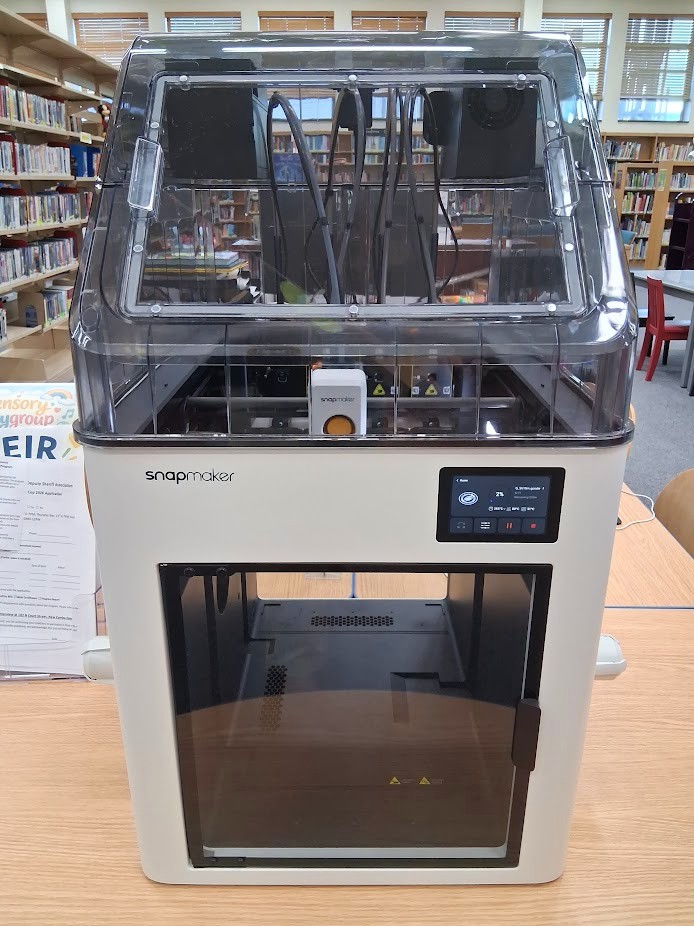
- Catch a demonstration. You’ll often find our 3D printer at work in the library. Stop and ask what it’s making.
- Request a 3D print. Send us a design, and our staff will print it for you.
- Share an idea. Something you’d love to learn or make? Tell us; it helps us plan programs.
Right now the equipment is used mostly in programs with staff. Have a small project, or a young maker with a big idea? Ask at the desk, and we’ll do what we can. Open lab hours are our next step.
What’s here
| Station | Equipment | What you can make |
|---|---|---|
| 3D printing | Prusa MK4S and Snapmaker U1 3D printers, plus 3D pens | Keychains, figurines, replacement parts and prototypes |
| Cutting | Silhouette Cameo 5 Alpha cutting machine, and a printer for print-and-cut stickers | Decals, stickers, stencils, cards and iron-on designs |
| Sublimation & heat press | 15″ × 15″ heat press, mug and tumbler press, and a sublimation printer | Custom tote bags, shirts, mugs, tumblers and magnets |
| Button making | 1¼″ and 2¼″ button presses | Pin-back buttons for clubs, events and gifts |
Upcoming MakerSpace programs
All upcoming MakerSpace events →
Our maker values
- Makers first. Whenever we can, we help you make it yourself. We’d rather help you make a lopsided first print than hand you a perfect one.
- Learning by doing. Everyone starts as a beginner, and mistakes are part of the process.
- Open whenever we can. We choose open designs, free software and standard supplies, so what you learn here works anywhere, without tying you to one company’s accounts or materials.
- Safety and care. These tools belong to the whole community, so we use them safely and look after them.
- An on-ramp for makers. Want to turn a new skill into a side business? We’ll help you learn and test your ideas.
- Making responsibly. No weapons, nothing dangerous or illegal, and no copies of other people’s protected designs.
What’s next
- Now: staff-led programs and demonstrations while our team trains on every tool.
- Next: open lab hours, when you can work on your own projects with staff on hand.
- Later: training that certifies you on a machine, so you can use it at more times, and more tools as the MakerSpace grows.
Questions about the MakerSpace? Call (304) 797-8510 or ask at the front desk.